
Short answer: ByteDance does not sell a separate "Seedance" subscription. You pay for Seedance 2.0 through a platform that runs it. The official consumer route is Dreamina (by CapCut), whose Basic, Standard, Advanced and Ultra plans include 1,575, 3,885, 8,645 and 59,000 credits a month, with prices shown in local currency. In the US, the first month of an eligible monthly plan costs $1.50 until 23 October 2026. Developers pay per token through BytePlus.
If you are an AI video, image, or hybrid content creator, you’re already well familiar with different websites, like Pixara.ai, Leonardo, Higgsfield, MidJourney, etc. They’re all extremely popular and more of a go-to resource for anyone looking to create high quality content.
Speaking of “quality,” it’s one of the most sought-after aspects in terms of video and images. To be honest, no one’s going to offer you clout, likes, or shares if your content is lacking in quality. However, there’s another thing that very few people spend time discussing: the one thing that determines your long term cost of production:
Seedance 2.0 pricing…
That might sound boring at first, but after producing dozens or even hundreds of AI videos every month, pricing becomes just as important as generation quality.
A five second clip that looks incredible is great. A five second clip that looks incredible and costs half as much to produce is even better.
Over the past year, Seedance has become one of the most talked about AI video generation models available to creators, marketers, agencies, ecommerce brands, and filmmakers. The platform has earned a reputation for producing cinematic motion, smooth camera movement, strong character consistency, and reliable image to video performance.
Technically, Seedance 2.0 is a multimodal audio-video model from ByteDance's Seed team: it accepts text, image, audio and video inputs and generates sound and picture together. On Dreamina it supports up to 12 reference files (up to 9 images, 3 videos and 3 audio clips) and 4K output. Its successor, Seedance 2.5, extends single generations to 30 seconds.
As adoption continues to grow, one question appears repeatedly:
What are the latest Seedance 2.0 pricing plans?
The answer is a little more complicated than many people expect.
Today, Seedance is available through multiple platforms, each offering its own billing model, credit structure, subscription tiers, and feature sets. Some platforms focus purely on video generation. Others package Seedance alongside image generation, voiceovers, editing tools, and additional AI models.
Because of that, understanding the complete Seedance 2.0 pricing guide requires looking beyond the monthly subscription price and examining how credits are allocated, how videos consume those credits, and what kind of workflow you're receiving in return.
Why Pricing Matters More Than Most Creators Realize

When creators evaluate AI video software, they usually begin with output quality.
- Can it generate realistic movement?
- Can it handle cinematic camera motion?
Can it maintain character consistency?
Can it produce commercial quality footage?
Those questions matter. Yet for anyone producing content regularly, another factor becomes equally important:
How much does each usable video cost?
Most creators don't generate one video and stop there.
A typical workflow often looks like this:
- You write a prompt.
- You generate three or four variations.
- You refine the prompt.
- You generate several more clips.
- You upscale the best result.
- You make revisions.
- You generate alternate scenes.
Before long, one final video may require dozens of generations behind the scenes.
This is where the Seedance 2.0 credit system becomes important.
Every generation consumes credits. The longer the clip, the more credits it uses. Higher resolutions generally consume more credits as well. Experimental prompts can burn through credits surprisingly quickly, particularly during concept development.
For hobbyists, that may not matter much.
For agencies managing client campaigns, ecommerce brands producing product videos, or creators posting content daily, understanding the underlying economics becomes essential.
A plan that looks inexpensive on paper can become expensive when credit allocations are limited.
A plan with a higher monthly fee can sometimes produce a significantly lower cost per finished video.
Understanding that relationship is the foundation of choosing the right Seedance subscription.
Understanding How Seedance 2.0 Pricing Works
Before comparing plans, it's important to understand the basic billing structure.
Most Seedance platforms operate on a credit based system.
Rather than paying per individual video, users receive a monthly allocation of credits. Those credits are then consumed whenever videos are generated.
The exact amount consumed depends on factors such as:
- Video duration
- Output resolution
- Selected generation settings
- Model version
- Advanced rendering options
- Platform specific pricing policies
This approach creates flexibility because different creators have different production needs.
Someone producing short social media clips may generate dozens of videos from the same credit allocation.
A filmmaker creating longer cinematic sequences may consume the same credits much faster.
This is why discussions around Seedance 2.0 monthly pricing should never be separated from discussions around credits.
The subscription price only tells part of the story.
The number of credits included often determines the true value of a plan.
Does Seedance 2.0 Offer a Free Tier for Creators?

One of the most common questions from new users is:
Does Seedance 2.0 offer a free tier for creators?
The answer depends on the platform through which you're accessing the model.
Some providers offer promotional credits when users register. Others provide limited trial access. Certain marketplaces allow occasional free generations during promotional periods.
On Dreamina, the official ByteDance consumer app, the answer is yes, within limits: Dreamina's pricing FAQ says it offers a free option that lets you explore its tools with available credits, and paid plans add more credits and benefits. There is no unlimited free tier.
This creates an important comparison point when evaluating Seedance 2.0 free vs paid plans.
- Free access can be useful for testing quality and understanding workflow.
- Paid subscriptions become far more practical once content production becomes consistent.
For creators publishing daily content, agencies delivering client work, and brands running advertising campaigns, subscription plans usually provide significantly better economics than relying on occasional free credits.
Who Should Pay Attention to Seedance Pricing?
Not every creator consumes credits at the same pace.
A casual user generating a few videos each month has completely different requirements compared to an agency producing hundreds of assets every week.
Generally speaking, Seedance pricing matters most for:
Content Creators
Creators producing YouTube Shorts, TikTok videos, Instagram Reels, and branded content often require predictable monthly generation capacity.
The right creator plan can provide enough credits to maintain a regular publishing schedule without worrying about constant top ups.
Marketing Agencies
Agencies frequently create multiple versions of the same campaign.
One client project may involve dozens of generations before final approval.
For this group, evaluating cost per generation becomes far more important than comparing subscription fees alone.
Ecommerce Brands
Product launches, seasonal promotions, social ads, and retargeting campaigns all benefit from rapid video creation.
Many ecommerce teams focus heavily on Seedance 2.0 commercial usage pricing because content volume directly affects advertising costs.
Production Studios
Studios experimenting with AI assisted filmmaking often need larger credit allocations and higher throughput.
These users tend to evaluate both Seedance 2.0 creator plans and emerging Seedance 2.0 enterprise pricing options to support larger production pipelines.
The Question Most Buyers Ask
After understanding the credit model, most people eventually arrive at the same question:
How much does Seedance 2.0 cost per month?
The answer depends on which platform you're purchasing through, the plan you select, and whether you're choosing monthly billing or annual billing.
Some platforms prioritize low entry pricing.
Others prioritize larger credit allocations.
Some bundle additional creative tools into the subscription, creating a very different value proposition despite using the same underlying video model.
This is where the comparison becomes far more interesting.
In the next section, we'll break down the official Seedance subscription tiers, compare monthly versus annual costs, explain included features, and calculate what those credits mean in terms of real world video generation capacity.
Official Seedance 2.0 pricing on Dreamina (October 2026)
Seedance 2.0 is built by ByteDance's Seed team. Its official model page sends creators to ByteDance apps to try it and developers to the API. For most creators that means Dreamina, CapCut's AI studio, which offers Seedance 2.0, Seedance 2.0 Mini and Seedance 2.5.
Dreamina's pricing page lists these plans (checked 15 October 2026):
Dreamina Pricing Plans and Monthly Credits
- Free Plan: Offers limited free credits for trying Dreamina's tools.
- Basic Plan: Includes 1,575 credits per month. Designed as the entry level paid plan.
- Standard Plan: Includes 3,885 credits per month. Adds discounted GPT Image 2.5 credit usage during current promotions.
- Advanced Plan: Includes 8,645 credits per month, with larger options of 17,600, 23,500, and 35,500 credits. Offers the highest priority fast queue and 4K image benefits.
- Ultra Plan: Includes 59,000 credits per month. Provides the largest credit allowance and highest priority fast queue.
All paid plans list the same core video benefits: no Dreamina watermark on downloads, longer videos, higher resolution, smoother video up to 60 FPS, lip-sync audio generation and a fast queue.
How much is the Seedance 2.0 subscription?
Dreamina shows prices in your local currency, so there is no single global price. Its current Seedance offer page advertises 90% off the first month of a qualifying monthly membership, which is $1.50 in the US, until 23 October 2026. Yearly plans are advertised at 40% off the first year, after which they renew at the full price, so always compare the renewal amount shown at checkout, not only the first payment.
For a sense of cost per second: during its 23 September to 9 October 2026 campaign, Dreamina's own Seedance 2.0 pricing guide put the effective rate on the discounted first month at $0.008 per generated second for Seedance 2.0 Fast and Mini and $0.016 for Seedance 2.0 Pro, at 720p. That is $0.08 to $0.16 for a 10-second clip. Dreamina notes these are promotional subscription rates, not renewal prices.
Seedance subscription price in India and other countries
Prices, taxes and promotions vary by region, and the checkout page shows the offer available to your account. The 90%-off campaign that ran from 23 September to 9 October listed 12 countries (Japan, South Korea, the UK, Germany, France, Italy, Spain, Mexico, Brazil, the US, Canada and Australia); India was not on that list. Check the Dreamina pricing page while signed in to see your local price.
Seedance 2.0 API pricing
Developers buy Seedance through BytePlus ModelArk, ByteDance's cloud AI platform, which bills per token and sells prepaid plans. For Seedance 2.5, BytePlus lists Light, Production and Premium plans valid for three months, sized at roughly 120-500, 250-1,000 and 2,500-10,000 seconds of 480p video. The BytePlus site also advertises a free trial of 2 million tokens for Seedance.
How Many Video Generations Are Included in Seedance 2.0 Subscriptions?
This is another question that appears frequently:
How many video generations are included in Seedance 2.0 subscriptions?
The answer depends on credit consumption.
Credits are not tied to a fixed number of videos.
They are consumed according to generation settings.
Variables include:
- Video duration
- Resolution
- Rendering complexity
- Model configuration
- Future platform updates
As a result, two creators with identical subscriptions may generate very different numbers of videos.
One creator might focus exclusively on short five second clips.
Another might generate longer ten second sequences with multiple iterations.
This is why understanding Seedance 2.0 video rendering credits is far more useful than looking for a fixed video limit.
Credit based systems provide flexibility, though they require users to monitor consumption carefully.
How many credits does a Seedance 2.0 video use?
There is no single number. The credit cost depends on the variant (Seedance 2.0, 2.0 Fast or 2.0 Mini), the length and the resolution, and Dreamina shows the cost before you generate. Dreamina's own pricing guide adds a useful budgeting rule: count generated seconds, including every retry, not just the seconds you publish. If a project needs four 15-second deliverables and you expect five attempts each, budget for about 300 generated seconds.
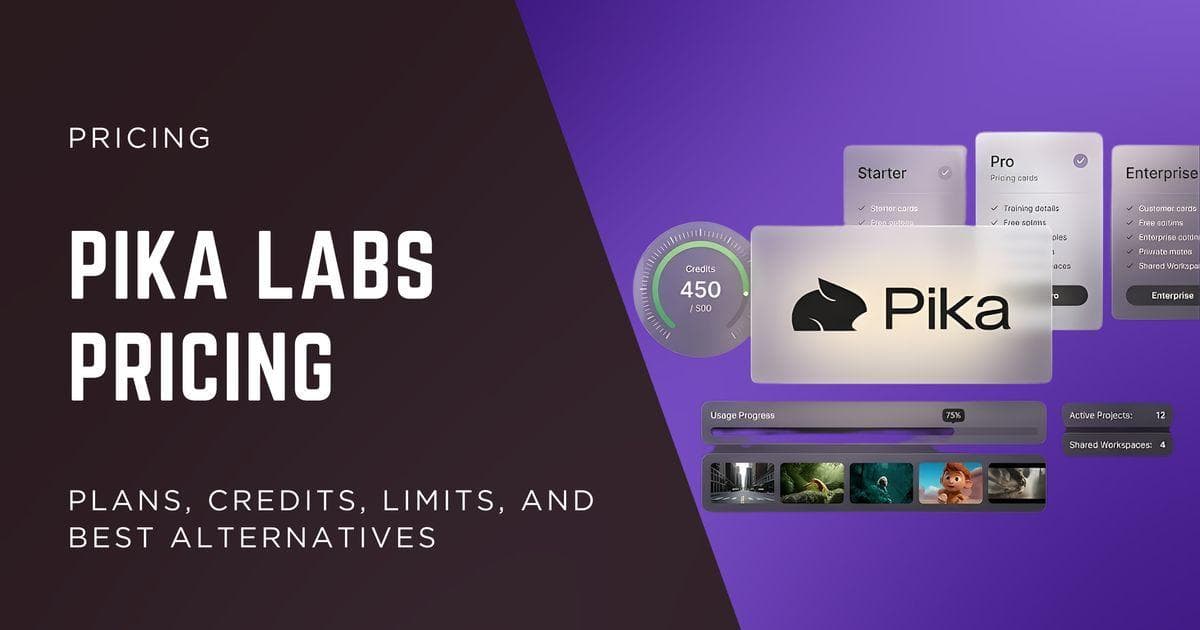
Other apps price Seedance in their own credits. Pika's pricing page, for example, lists a 5-second 720p Seedance 2.5 clip at 122 credits.
What Features Are Included in Seedance 2.0 Paid Plans?
When evaluating value, it's important to look beyond raw credit allocations.
Most paid subscriptions include:
- Commercial usage rights
- Watermark free exports
- Private generations
- Access to multiple video models
- AI image generation capabilities
- Priority generation queues
- Customer support
- Faster rendering speeds on higher tiers
This matters because Seedance 2.0 premium features often save time throughout the production process.
Faster rendering means less waiting.
Priority queues reduce delays during peak demand.
Commercial licenses make client work and advertising campaigns possible without licensing concerns.
For freelancers and agencies, these benefits often justify the subscription cost long before credit allocations are exhausted.
Is Seedance 2.0 Worth Paying For?
A question many creators ask after reviewing pricing is:
Is Seedance 2.0 worth paying for compared to Kling AI and Runway?
The answer depends heavily on workflow preferences.
Seedance performs exceptionally well in cinematic motion, visual consistency, and realistic movement generation.
Kling is often praised for prompt responsiveness and advanced motion control.
Runway remains popular because of its broader editing ecosystem and professional production tools.
From a pure generation standpoint, many creators view Seedance as one of the strongest value propositions currently available, particularly when paired with annual pricing discounts.
The bigger comparison is often not quality.
It's workflow.
And that becomes especially important when comparing standalone Seedance subscriptions against all in one creative platforms that bundle video generation with editing, image creation, voiceovers, and multiple AI models under a single subscription.
Dreamina vs Jimeng: Which Seedance 2.0 Subscription Delivers Better Value?
One reason pricing discussions around Seedance become confusing is that many creators assume there is only one official subscription path.
In reality, the same underlying model has been distributed through different platforms, each with its own pricing strategy, credit allocation, and promotional structure.
For international users, Dreamina has become one of the most popular ways to access the model.
Within mainland China, Jimeng remains a major option.
On the surface, both platforms provide access to Seedance powered video generation. Once you start comparing credits and annual pricing, however, the numbers become much more interesting.
The biggest mistake people make is comparing a discounted annual plan from one provider against a full monthly plan from another.
A fair comparison means matching monthly plans against monthly plans and annual plans against annual plans.
Only then can you understand the true Seedance 2.0 pricing landscape.
Jimeng Pricing Breakdown
Jimeng offers two primary subscription tiers.
Standard Plan
Pricing:
- ¥199 per month
- ¥1,899 annually
- Effective monthly cost on annual billing: approximately ¥158
Monthly credits:
- Approximately 2,210 credits
This plan targets casual users and creators who generate content periodically throughout the month.
Advanced Plan
Pricing:
- ¥499 per month
- ¥5,199 annually
- Effective monthly cost on annual billing: approximately ¥433
Monthly credits:
- Approximately 6,160 credits
The Advanced tier is designed for heavier users producing larger content volumes.
Agencies and businesses generating content regularly tend to evaluate this plan more closely because of the larger credit allocation.
Dreamina Pricing Breakdown
Dreamina leans heavily on first-period discounts: 90% off the first month of an eligible monthly plan and 40% off the first year of a yearly plan. Its monthly credit allowances are listed in the table above (1,575 on Basic up to 59,000 on Ultra); prices are shown in local currency at checkout.
The Part Most Comparisons Miss
Many online reviews focus entirely on subscription price.
That creates an incomplete picture.
A more useful metric is credit purchasing power.
If one platform costs less but delivers dramatically fewer credits, the lower monthly fee may not translate into better value.
Because Dreamina prices vary by country and Jimeng bills in yuan, compare the two on credits per unit of your own currency, and match monthly with monthly and yearly with yearly.
The Renewal Pricing Reality Nobody Talks About
Promotional pricing always looks attractive.
Long term pricing is where things become more interesting.
Many creators calculate their costs based on first year discounts and forget to examine renewal rates.
When renewal pricing enters the equation, some of the value gap narrows considerably.
Dreamina's checkout states both numbers: for example, an Advanced yearly plan is shown as 40% off the first year and then the full renewal price after that. Budget on the renewal price if you expect to keep using Seedance beyond the first year.
For long term budgeting, this matters.
Many creators subscribe during the first year discount period and then reevaluate their options before renewal.
Understanding this billing cycle can save a meaningful amount of money over time.
Pixara vs Seedance 2.0 Pricing: Looking Beyond Credits and Monthly Costs

After comparing official Seedance subscription plans, a much bigger question starts to emerge.
Should you subscribe to a standalone Seedance platform, or should you choose an all in one creative environment that includes Seedance alongside other AI tools?
For many creators, agencies, and business owners, this is where the buying decision becomes far more important than comparing credit allocations alone.
The reason is simple.
Video generation is rarely the only task involved in content production.
A typical project often includes:
- AI image generation
- Video generation
- Voiceovers
- Lip sync
- Editing
- Asset management
- Rendering
- Multiple creative revisions
When those tools exist across several platforms, subscription costs can accumulate surprisingly quickly.
- One platform for images.
- One platform for video.
- One platform for voiceovers.
- One platform for editing.
- One platform for stock assets.
- One platform for upscaling.
Before long, creators find themselves managing four or five separate subscriptions just to complete a single workflow.
This is where all in one platforms have started attracting attention.
Why Many Creators Are Reconsidering Standalone AI Subscriptions
The AI market moves incredibly fast. Every few weeks, a new image model appears, bringing in a slew of tools, and an equal number of different issues that could potentially send you on a hitchhike to nowhere in terms of production quality. How so?
- A new video model launches.
- A new rendering workflow becomes popular.
- A new editing tool enters the market.
For creators, keeping up with all of these tools can become exhausting.
One month everyone is talking about Kling.
- The next month it is Seedance.
- Then a new Runway release arrives.
- Then a new Veo update enters the conversation.
Managing access to all of them often means maintaining separate subscriptions and learning completely different interfaces. For business owners, that creates three major problems.
Subscription Overload
Multiple subscriptions create unnecessary operational costs.
Many users discover they are paying for overlapping functionality across several platforms.
The monthly cost may not seem significant at first.
Over the course of a year, however, those subscriptions can easily add up to hundreds or even thousands of dollars.
Workflow Fragmentation
Moving assets between different tools slows production.
A creator might generate an image on one platform, export it, upload it somewhere else for animation, move it again for voiceovers, then transfer it into an editor.
Each step introduces friction.
Each transfer increases production time.
Learning Curve Fatigue
Many AI platforms assume users already understand prompt engineering.
- They assume users know which model works best for each task.
- They assume users know how to optimize prompts for different generation engines.
For experienced AI users, that may be manageable.
For business owners and marketers, it often becomes a barrier to adoption.
How Pixara Approaches the Problem Differently
Rather than focusing on a single model, Pixara was built around a different philosophy.
The platform was created to eliminate the need for juggling multiple creative subscriptions.
Instead of asking users to learn dozens of AI tools, the platform attempts to unify the entire content creation workflow under one environment.
This becomes especially important when comparing overall content production costs rather than simply comparing Seedance 2.0 monthly pricing.
At first glance, some users may compare only the number of credits.
Once workflow efficiency enters the discussion, the value proposition changes considerably.
More Than a Seedance Subscription
One of the biggest differences is that users are not subscribing solely for Seedance access.
The platform combines multiple creative capabilities within a single workflow.
These include:
- Seedance 2.0 video generation
- AI image creation
- AI voiceovers
- Lip sync tools
- Video rendering
- Built in editing tools
- Stock asset libraries
- Multiple frontier AI models
For creators who already pay for several separate tools, this consolidation can significantly reduce software costs.
Rather than managing several subscriptions, the workflow lives under one roof.
That simplicity becomes particularly valuable for agencies handling multiple projects simultaneously.
Ara: The Feature That Changes the Experience
One feature repeatedly mentioned by users is Ara, the platform's AI co pilot.
Most AI tools provide access to models.
Ara attempts to provide guidance.
That may sound like a small difference, yet it fundamentally changes the experience for many users.
A common frustration among creators is prompt paralysis. People know the result they want. They simply do not know how to describe it in a way the model understands. Ara helps bridge that gap.
Instead of expecting users to become prompt engineering experts, the system assists with prompt enhancement, creative direction, and model selection.
For small business owners, this can remove one of the largest barriers to AI adoption.
The user focuses on the vision.
The platform handles much of the technical complexity.
Multi Model Access Without Multiple Accounts
Another major advantage comes from model accessibility.
Many competing platforms focus on a single category.
- Some specialize in images.
- Others specialize in video.
- Others focus primarily on avatars or editing.
The result is that creators often need separate accounts to access different capabilities.
A unified platform changes that equation.
Users gain access to multiple leading models through one subscription and one interface.
For Seedance specifically, Pixara's video page offers three versions: Seedance 2 Mini (480p or 720p), Seedance 2 (480p up to 4K) and Seedance 2.5 (480p to 1080p), all with optional generated audio. Seedance 2 also has a Reference mode that accepts up to 6 images, 3 video clips and 3 audio clips. You can switch from Seedance to Kling 3.0, Veo 3.1 or Hailuo 3 in the same window to compare results. See the Seedance 2.0 model page or the newer Seedance 2.5.
Related guides: Kling AI pricing 2026